
Video Conferencing in Malaysia: The Complete Guide for Hybrid Offices
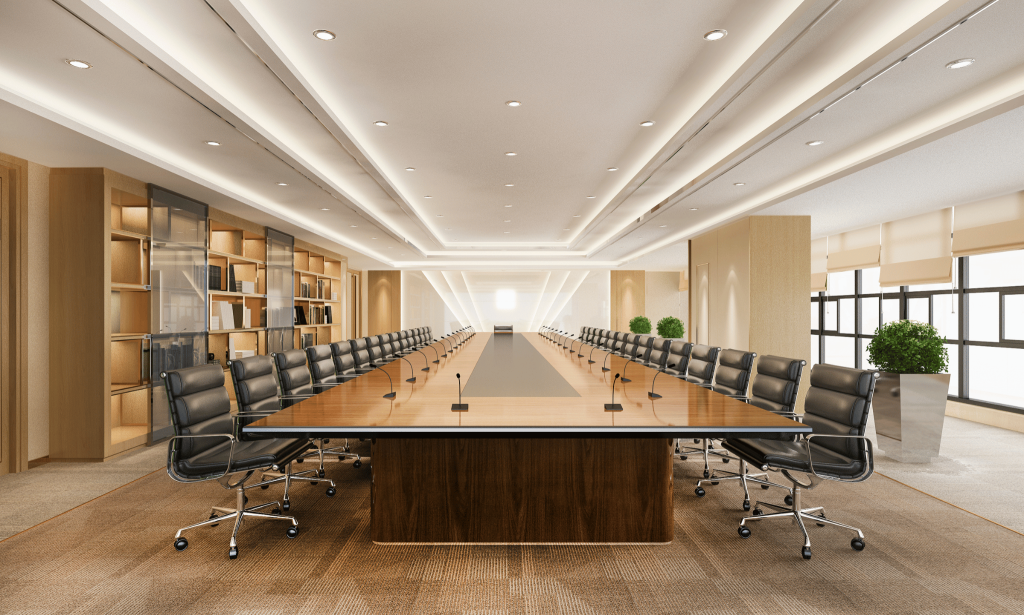
Video Conference 2026 Guide Video Conferencing in Malaysia: The Complete Guide for Hybrid Offices From huddle rooms to enterprise boardrooms, learn how to choose a video conferencing system based on your room size, platform, audio requirements, camera coverage and the way your team actually meets. Updated August 2026 Approx. 12 min read Meeting.com.my Professional meeting rooms should be designed around room dimensions, seating layout, audio coverage and conferencing requirements. Quick Answer What does a good video conferencing room actually need? A reliable video conferencing setup is not determined by one product. Six parts of the room need to work together. 01 Camera 02 Microphones 03 Speakers 04 Display 05 Meeting Platform 06 Simple Controls Smaller meeting rooms can often combine the camera, microphones and speakers into one video bar. Larger rooms normally benefit from separate components that provide wider and more consistent coverage. The right system depends more on the room than the brand. On this page 01Common problems 02Room types 03Features 04Platforms 05Brands 06Cost 07How to choose 08FAQ Video conferencing has become part of everyday business infrastructure. A meeting room today is no longer just a table, chairs and a display on the wall. It needs to connect people in the room with colleagues, customers and partners joining remotely — without wasting the first ten minutes troubleshooting microphones, cameras or cables. For Malaysian businesses, the challenge is rarely finding video conferencing equipment. The difficult part is choosing equipment that actually matches the room size, meeting platform, number of participants, acoustics and the way the room is used. A four-person meeting room does not need the same system as a 16-seat boardroom. Likewise, buying a premium camera will not fix a room where participants at the far end cannot be heard clearly. This guide explains what businesses should consider before upgrading or installing a professional video conferencing system in Malaysia. 01 — Planning Why video conferencing still goes wrong in modern offices Video conferencing technology has improved significantly, but many poor meeting experiences are caused by something much simpler: the wrong equipment being used in the wrong room. 01 The equipment does not match the room size A camera designed for a small huddle room may work well while participants are sitting close to it. Move the same camera into a long boardroom and the experience can change dramatically. Participants sitting at the far end of the table may appear too small, while microphone pickup may be insufficient for clear, natural conversation. Before selecting equipment, consider: Room dimensions Table length and seating position Number of participants Distance from the camera to the furthest participant Microphone pickup requirements Two rooms that both seat eight people may still require different systems if one is compact and square while the other uses a long conference table. 02 Audio is treated as an afterthought Customers often notice the camera first. Meeting participants usually notice the microphone first. A slightly imperfect image is normally manageable. A meeting where people constantly repeat themselves because of echo, weak microphone coverage or background noise becomes frustrating very quickly. Glass walls, hard flooring, exposed ceilings and reflective surfaces commonly found in modern offices can also make speech harder to understand. Larger rooms may therefore require dedicated tabletop microphones, ceiling arrays, DSP processing or additional loudspeakers rather than relying only on the microphone integrated into a camera. Explore our conference room audio solutions in Malaysia . 03 Platform compatibility is checked too late Another common mistake is selecting the hardware first and only later asking: “Will this work properly with Microsoft Teams?” Microsoft, Zoom and Google maintain certification or qualification programmes for meeting-room hardware. Certification helps businesses identify devices that have been evaluated for quality, reliability, compatibility or interoperability with the relevant platform. Certification can also vary by individual product model, so check the exact device rather than assuming every product from one brand carries the same certification. Reference: Microsoft Teams Rooms certified hardware , Zoom Rooms hardware and Google Meet certified hardware . 04 Too much technology makes the room harder to use A meeting room can technically be very advanced and still provide a poor user experience. If employees need an instruction sheet every time they start a meeting, the room has become too complicated. A good room should make the common workflow obvious: Walk in → select the meeting → join → present → talk. Technology should reduce friction rather than create it. 02 — Room Planning Video conferencing room types: what does each room actually need? There is no single video conferencing setup that works equally well in every space. A useful starting point is to divide meeting rooms by capacity and how they are used. Room Type Typical Capacity Video Requirement Audio Requirement Common Approach Huddle Room 2–4 Wide-angle camera Integrated mic / speaker All-in-one video bar Small / Mid-Size 5–10 Wide FOV + intelligent framing Stronger pickup / expansion audio Video bar or modular Boardroom 10+ PTZ / tracking / multiple cameras Distributed table or ceiling audio Modular AV system Training / Auditorium Varies Presenter + audience coverage Wireless mics + distributed audio Custom AV system 01 / ROOM TYPE Huddle Room 2–4 people Huddle rooms are designed for quick discussions, small team meetings and short video calls. In most cases, simplicity is more valuable than complexity. A typical setup can use one display and an all-in-one video bar with integrated camera, microphone and speakers. A wide field of view is particularly useful because users normally sit close to the display. 02 / ROOM TYPE Small to Mid-Size Meeting Room 5–10 people This is one of the most common corporate meeting-room categories. As the table becomes longer, camera framing and microphone coverage become more important. Useful features may include: Intelligent auto-framing Participant framing Speaker tracking Expansion microphones Dedicated room controller Wireless content sharing This room category can use either an advanced video bar or a modular solution depending on the dimensions and performance requirements. 03 / ROOM TYPE Boardroom 10+ people Boardrooms require
Top 5 Video Conferencing Solutions Every Modern Office Needs in 2026
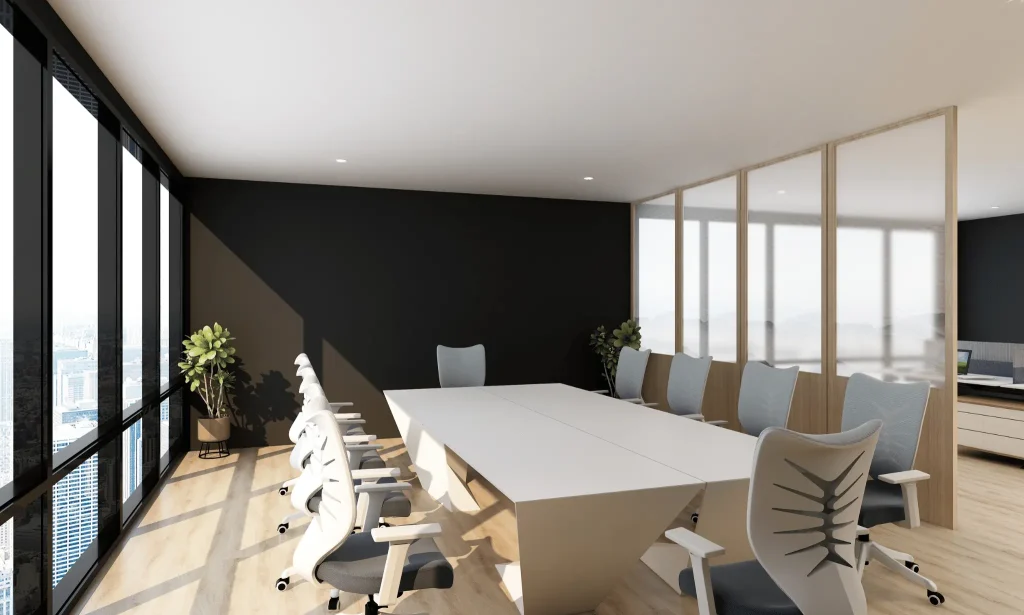
Video Conference Top 5 Video Conferencing Solutions Every Modern Office Needs in 2026 KEY TAKEAWAYS Huddle rooms (2–4 people): All-in-one video bars and compact conferencing cameras Small meeting rooms (4–6 people): Smart cameras with tabletop microphones Medium conference rooms (6–12 people): PTZ cameras with ceiling microphone systems Large boardrooms or training rooms: Interactive collaboration displays and advanced audio systems As hybrid work continues to become the standard for many organizations, businesses are investing in professional video conferencing solutions to ensure seamless communication between in-office teams, remote employees, and global partners. In 2026, modern offices require more than just a webcam and a laptop — they need reliable meeting room technology, professional audio systems, and stable networking infrastructure to support productive collaboration. Based on industry trends and real-world meeting room deployments, companies are now focusing on integrated video conferencing systems designed for different meeting spaces, from small huddle rooms to large boardrooms and training rooms. In this guide, we explore the top five video conferencing solutions every modern office should consider in 2026. 1. AI-Powered Video Conferencing Cameras A high-quality camera is one of the most important components of a professional video conferencing system for meeting rooms. Modern conference cameras now feature AI-powered auto-framing, speaker tracking, and intelligent zoom, ensuring remote participants can clearly see everyone in the room. Unlike traditional webcams, enterprise-grade conferencing cameras are designed specifically for business environments, providing wide-angle coverage and ultra-high-definition video for meetings. Key features include: 4K video resolution for crystal-clear meetings AI auto-framing that adjusts based on participants Speaker tracking to focus on active speakers Wide-angle lenses suitable for small and medium meeting rooms. These cameras are commonly used in huddle rooms, conference rooms, and executive meeting spaces, where professional presentation and engagement are important. Based on industry trends and real-world meeting room deployments, companies are now focusing on integrated video conferencing systems designed for different meeting spaces, from small huddle rooms to large boardrooms and training rooms. In this guide, we explore the top five video conferencing solutions every modern office should consider in 2026. 2. Professional Conference Microphone Systems While video quality is important, audio clarity is often the most critical factor in a successful video conference. Poor audio can disrupt communication and make meetings inefficient. Many businesses are upgrading to professional conference microphone systems, such as ceiling microphones, table microphones, or beamforming microphone arrays. These systems are designed to capture voices clearly from across the room while minimizing background noise. Benefits of professional meeting room microphones include: Clear voice pickup across the entire room Noise suppression and echo cancellation Reduced background noise during meetings Flexible installation options such as ceiling or tabletop microphones For medium and large meeting rooms, ceiling microphone systems are increasingly popular because they eliminate table clutter while providing excellent voice coverage. 3. All-in-One Video Conferencing Bars For companies that want a simple and efficient meeting room video conferencing setup, all-in-one video bars are becoming one of the most popular solutions. These devices integrate camera, microphone, and speakers into a single compact unit, making them easy to install and ideal for small meeting spaces. All-in-one video conferencing bars typically offer: Built-in camera with AI meeting features Integrated microphone array and speakers Plug-and-play compatibility with conferencing platforms Minimal cabling and simple deployment They are especially suitable for small meeting rooms, huddle rooms, and collaborative workspaces, where businesses want professional meeting capabilities without complex installations. 4. Interactive Collaboration Displays Interactive displays are transforming meeting rooms into collaboration hubs where teams can present, brainstorm, and communicate in real time. Modern solutions like the Huawei IdeaHub combine video conferencing, wireless presentation, digital whiteboarding, and touch interaction into a single device. This allows teams to share content instantly, annotate ideas during discussions, and conduct more engaging meetings. Advantages of interactive collaboration displays include: Wireless screen sharing for quick presentations Built-in video conferencing capabilities Digital whiteboard for brainstorming and training Large touch-enabled display for group collaboration These solutions are particularly effective for training rooms, boardrooms, and executive meeting environments, where visual collaboration is important. 5. Reliable Enterprise Networking Infrastructure Even the most advanced video conferencing equipment cannot perform well without a stable and high-performance network. Video conferencing requires reliable bandwidth to support high-resolution video, audio processing, and real-time collaboration. Many modern offices deploy enterprise networking solutions such as switches, routers, and wireless access points from companies like H3C to ensure stable connectivity for meeting rooms and collaboration spaces. A strong networking infrastructure provides: Stable video conferencing with minimal lag Reliable connectivity for multiple meeting rooms Secure communication across corporate networks Scalability for growing office environments With the rise of 4K video conferencing and AI-powered meeting tools, upgrading network infrastructure has become a key part of building future-ready meeting rooms. Conclusion In 2026, video conferencing technology is no longer optional for modern businesses. Companies are investing in professional meeting room solutions to support hybrid work, improve communication, and enhance collaboration across distributed teams. By implementing AI-powered cameras, professional microphone systems, all-in-one video bars, interactive collaboration displays, and reliable networking infrastructure, businesses can build meeting rooms that are efficient, future-ready, and capable of supporting the evolving workplace. For organizations planning to upgrade their meeting spaces, working with an experienced video conferencing solution provider can help ensure the right technologies are selected and properly integrated into the workplace environment.
Essential Equipment for a Professional Video Conferencing Setup in 2025
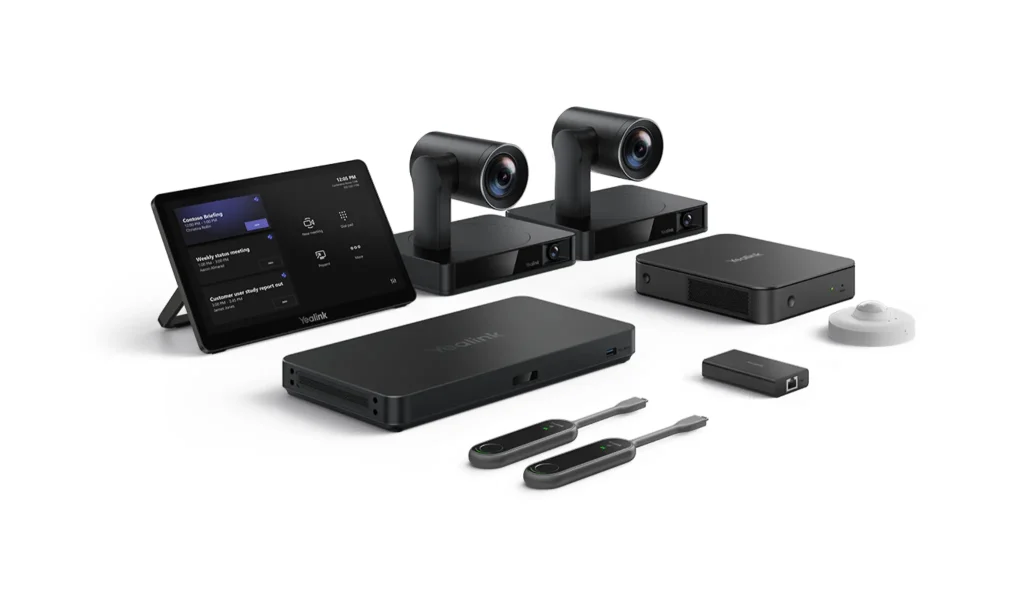
Video Conference Essential Equipment for a Professional Video Conferencing Setup in 2026 KEY TAKEAWAYS Huddle rooms (2–4 people): All-in-one video bars and compact conferencing cameras Small meeting rooms (4–6 people): Smart cameras with tabletop microphones Medium conference rooms (6–12 people): PTZ cameras with ceiling microphone systems Large boardrooms or training rooms: Interactive collaboration displays and advanced audio systems As hybrid work becomes the norm, businesses are prioritizing professional video conferencing setups to ensure clear communication, productive meetings, and seamless collaboration between teams. In 2026, a basic webcam is no longer enough—companies now require fully integrated meeting room solutions that combine high-quality video, crystal-clear audio, and reliable connectivity. Based on real-world deployment experience across corporate meeting rooms, the most effective setups are those designed with the right combination of equipment tailored to room size and usage. In this guide, we’ll break down the essential equipment every modern office needs for a professional video conferencing setup. At meeting.com.my, we believe that professional audio is an invisible science. In the tropical architecture of Malaysia, where open-plan offices and hard-surface “industrial” designs are trending, the biggest enemy of clarity is reverberation. Sound waves bounce off those sleek glass partitions and polished concrete floors, creating an echo that AI noise suppression can only do so much to fix. True optimization begins with understanding the “Acoustic Footprint” of your space. By strategically placing sound-absorbing materials or utilizing “Voice Lift” technology, we can transform a cavernous hall into an intimate conversation space where every syllable is captured with surgical precision. The real game-changer in 2026 is the transition from messy analog cables to Dante-enabled Audio over IP (AoIP). For our clients in the Klang Valley, we are increasingly replacing old XLR bundles with a single CAT6 cable that carries hundreds of channels of uncompressed, low-latency digital audio. This isn’t just about “tidying up”; it’s about reliability. Digital audio networking allows us to route sound from a Sennheiser TeamConnect ceiling mic in the boardroom directly to a Bose Professional DSP in the server room without any signal degradation or electrical interference from nearby office equipment. However, hardware is only as good as its placement. We often see premium microphones placed too close to air conditioning vents—a common issue in Malaysia’s climate—which creates a constant low-frequency hum for remote participants. Optimization means engineering the room to work with the technology. This involves using “Beamforming” arrays that intelligently track the person speaking while digitally “ignoring” the noise of the hallway or the hum of the AC. When you combine high-end brands like Shure or Biamp with a professional site survey, you move away from “good enough” audio and toward a system that feels completely natural. Ultimately, an optimized audio setup should be a “silent partner” in your success. It should allow your leadership team to speak at a normal conversational volume and still be heard with absolute clarity by a partner in Singapore or a client in London. Whether you are outfitting a compact huddle room or a massive auditorium, the goal is Speech Intelligibility. When your audio is optimized, the technology disappears, leaving only the human connection. That is the standard we bring to every installation across Malaysia.