
Video Conferencing in Malaysia: The Complete Guide for Hybrid Offices
From huddle rooms to enterprise boardrooms, learn how to choose a video conferencing system based on your room size, platform, audio requirements, camera coverage and the way your team actually meets.
Quick Answer
What does a good video conferencing room actually need?
A reliable video conferencing setup is not determined by one product. Six parts of the room need to work together.
Smaller meeting rooms can often combine the camera, microphones and speakers into one video bar. Larger rooms normally benefit from separate components that provide wider and more consistent coverage.
Video conferencing has become part of everyday business infrastructure.
A meeting room today is no longer just a table, chairs and a display on the wall. It needs to connect people in the room with colleagues, customers and partners joining remotely — without wasting the first ten minutes troubleshooting microphones, cameras or cables.
For Malaysian businesses, the challenge is rarely finding video conferencing equipment. The difficult part is choosing equipment that actually matches the room size, meeting platform, number of participants, acoustics and the way the room is used.
A four-person meeting room does not need the same system as a 16-seat boardroom. Likewise, buying a premium camera will not fix a room where participants at the far end cannot be heard clearly.
This guide explains what businesses should consider before upgrading or installing a professional video conferencing system in Malaysia.
01 — Planning
Why video conferencing still goes wrong in modern offices
Video conferencing technology has improved significantly, but many poor meeting experiences are caused by something much simpler: the wrong equipment being used in the wrong room.
The equipment does not match the room size
A camera designed for a small huddle room may work well while participants are sitting close to it. Move the same camera into a long boardroom and the experience can change dramatically.
Participants sitting at the far end of the table may appear too small, while microphone pickup may be insufficient for clear, natural conversation.
Before selecting equipment, consider:
- Room dimensions
- Table length and seating position
- Number of participants
- Distance from the camera to the furthest participant
- Microphone pickup requirements
Two rooms that both seat eight people may still require different systems if one is compact and square while the other uses a long conference table.
Audio is treated as an afterthought
Customers often notice the camera first. Meeting participants usually notice the microphone first.
A slightly imperfect image is normally manageable. A meeting where people constantly repeat themselves because of echo, weak microphone coverage or background noise becomes frustrating very quickly.
Glass walls, hard flooring, exposed ceilings and reflective surfaces commonly found in modern offices can also make speech harder to understand.
Larger rooms may therefore require dedicated tabletop microphones, ceiling arrays, DSP processing or additional loudspeakers rather than relying only on the microphone integrated into a camera.
Explore our conference room audio solutions in Malaysia .
Platform compatibility is checked too late
Another common mistake is selecting the hardware first and only later asking:
“Will this work properly with Microsoft Teams?”
Microsoft, Zoom and Google maintain certification or qualification programmes for meeting-room hardware. Certification helps businesses identify devices that have been evaluated for quality, reliability, compatibility or interoperability with the relevant platform.
Certification can also vary by individual product model, so check the exact device rather than assuming every product from one brand carries the same certification.
Reference: Microsoft Teams Rooms certified hardware , Zoom Rooms hardware and Google Meet certified hardware .
Too much technology makes the room harder to use
A meeting room can technically be very advanced and still provide a poor user experience.
If employees need an instruction sheet every time they start a meeting, the room has become too complicated.
A good room should make the common workflow obvious:
Walk in → select the meeting → join → present → talk.
Technology should reduce friction rather than create it.
02 — Room Planning
Video conferencing room types: what does each room actually need?
There is no single video conferencing setup that works equally well in every space. A useful starting point is to divide meeting rooms by capacity and how they are used.
| Room Type | Typical Capacity | Video Requirement | Audio Requirement | Common Approach |
|---|---|---|---|---|
| Huddle Room | 2–4 | Wide-angle camera | Integrated mic / speaker | All-in-one video bar |
| Small / Mid-Size | 5–10 | Wide FOV + intelligent framing | Stronger pickup / expansion audio | Video bar or modular |
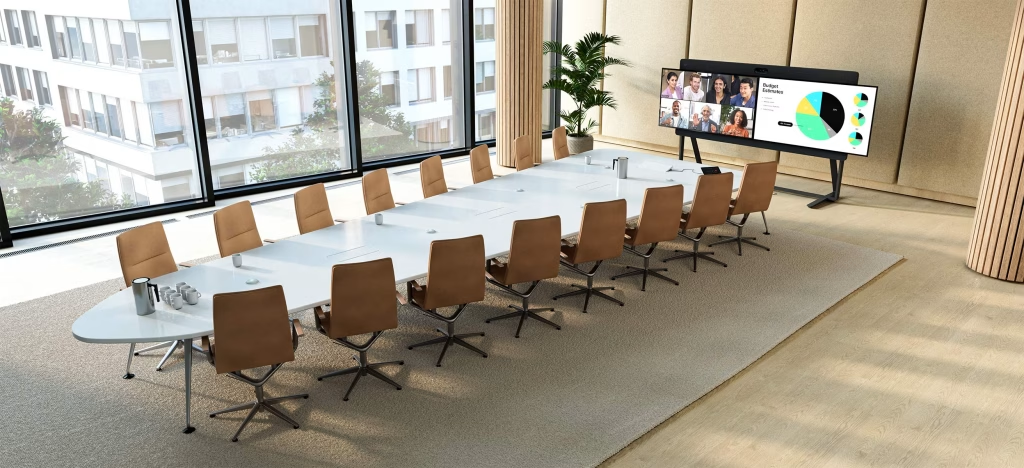
| Boardroom | 10+ | PTZ / tracking / multiple cameras | Distributed table or ceiling audio | Modular AV system |
| Training / Auditorium | Varies | Presenter + audience coverage | Wireless mics + distributed audio | Custom AV system |
01 / ROOM TYPE
Huddle Room
2–4 people
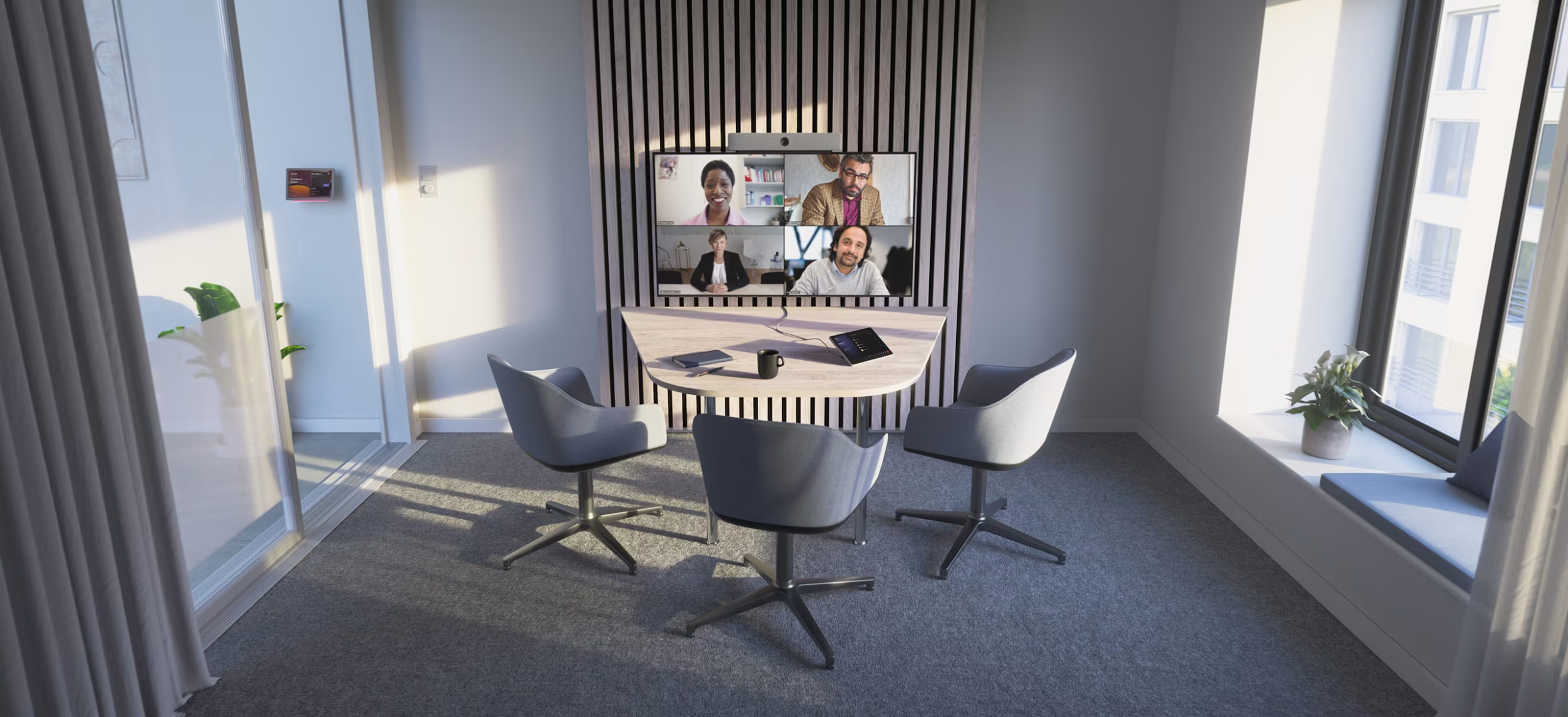
Huddle rooms are designed for quick discussions, small team meetings and short video calls.
In most cases, simplicity is more valuable than complexity. A typical setup can use one display and an all-in-one video bar with integrated camera, microphone and speakers.
A wide field of view is particularly useful because users normally sit close to the display.
02 / ROOM TYPE
Small to Mid-Size Meeting Room
5–10 people
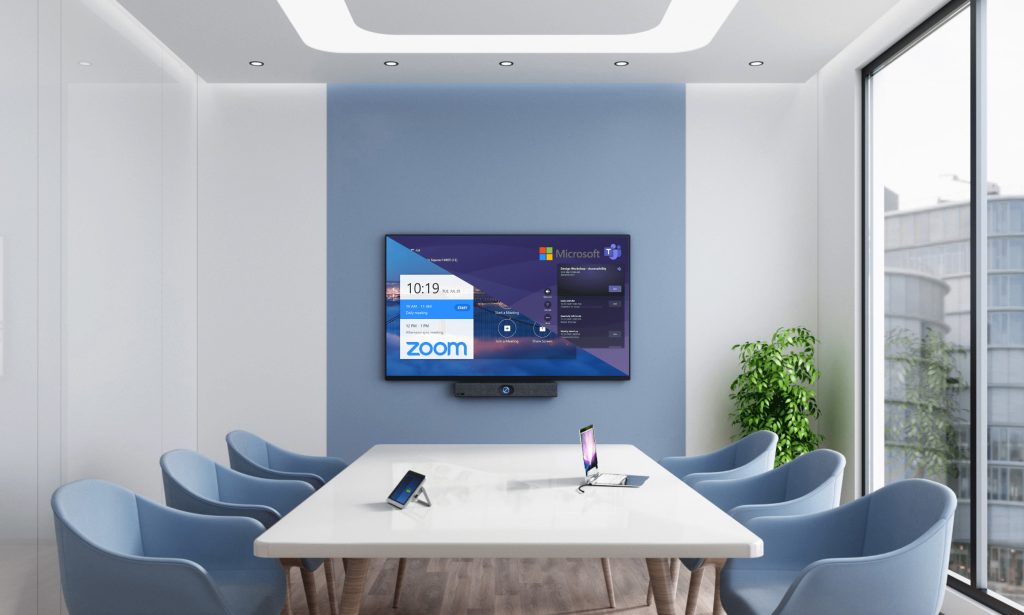
This is one of the most common corporate meeting-room categories.
As the table becomes longer, camera framing and microphone coverage become more important.
Useful features may include:
- Intelligent auto-framing
- Participant framing
- Speaker tracking
- Expansion microphones
- Dedicated room controller
- Wireless content sharing
This room category can use either an advanced video bar or a modular solution depending on the dimensions and performance requirements.
03 / ROOM TYPE
Boardroom
10+ people
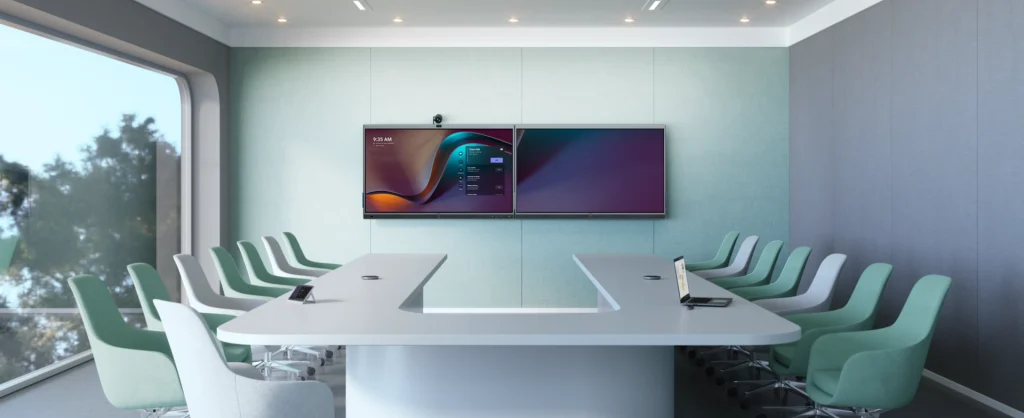
Boardrooms require more careful planning.
One microphone positioned in the middle of a long table may not provide consistent coverage, while one permanent wide-angle camera view can make every participant appear small to the remote audience.
A professional boardroom can include:
- PTZ cameras
- Speaker tracking
- Multiple tabletop microphones
- Ceiling microphone arrays
- Digital signal processing
- Separate loudspeakers
- Dual displays
- Touch-based room control
04 / ROOM TYPE
Training Room & Auditorium
Flexible capacity
Training rooms, lecture spaces and multipurpose halls introduce another challenge: the remote audience may need to hear both the presenter and participants inside the room.
These spaces may require:
- PTZ cameras
- Presenter tracking
- Wireless lapel microphones
- Handheld microphones
- Audience microphones
- Distributed speakers
- Presentation switching
- Lecture recording or streaming
If the room is also used for town halls or hybrid events, the AV design should reflect all of those use cases.
Need a room-specific recommendation?
See how Meeting.com.my plans video conferencing solutions for huddle rooms, small rooms, medium rooms and larger boardrooms .
03 — Technology
6 video conferencing features worth considering in 2026
Specifications can become overwhelming very quickly. Instead of comparing products according to the longest feature list, focus on functions that improve the actual meeting experience.
Intelligent Camera Framing
Group framing, participant framing, speaker tracking and presenter tracking can make it easier for remote participants to follow the conversation.
Platform Certification
When deploying Teams Rooms, Zoom Rooms or Google Meet hardware, verify the certification or supported status of the exact equipment model.
Echo & Noise Management
Good conferencing audio needs to manage echo, air-conditioning noise, background conversations and sound coming from the room’s own loudspeakers.
Simple Meeting Controls
Calendar integration, one-touch join, microphone mute, source selection and camera controls should be easy enough for everyday users.
Scalable Audio
Larger spaces may need additional tabletop microphones, ceiling arrays, DSP integration, networked audio or additional loudspeakers as requirements grow.
Easy Content Sharing
HDMI, USB-C, wireless presentation and native platform sharing can all work. Choose according to how staff normally present content.
04 — Platform Strategy
Microsoft Teams vs Zoom vs Google Meet: does the hardware matter?
Yes — but the bigger question is whether you want a dedicated conferencing room or a flexible room that uses the participant’s own laptop.
Choose your workflow
Native Room or BYOD?
Option 01
Native Meeting Room
Best suited to organisations that standardise heavily on one collaboration platform.
- Microsoft Teams Rooms
- Zoom Rooms
- Google Meet hardware
Typical benefits
- Integrated room calendar
- Dedicated touch controller
- Simplified meeting join
- Centralised device management
- Platform-specific room features
Option 02
BYOD
BYOD means Bring Your Own Device. The participant connects a laptop to the room’s camera, microphones, speakers and display.
Useful when users regularly switch between:
- Microsoft Teams
- Zoom
- Google Meet
- Webex
- Other browser-based platforms
Users operate the familiar conferencing application directly from their own computer.
Native room systems prioritise convenience. BYOD prioritises flexibility. Choose based on how your organisation actually meets.
05 — Ecosystem
Video conferencing brands Malaysian businesses can consider
There is no single “best” brand for every room. Different manufacturers are stronger in different parts of the collaboration ecosystem.
So which brand should you choose?
Start with the room — not the logo on the equipment.
Choose based on:
- Room size
- Meeting platform
- Audio requirements
- Camera coverage
- User experience
- IT requirements
- Budget
- Future expansion
Then compare the models that satisfy those requirements.
06 — Budget
How much does a video conferencing system cost in Malaysia?
There is no single standard price for a professional video conferencing room.
A four-person huddle room using a video bar has very different requirements from a boardroom using ceiling microphones, PTZ cameras, audio processing and multiple displays.
| Cost Factor | Why It Matters |
|---|---|
| Room size | Larger spaces normally require greater camera and microphone coverage. |
| Number of participants | More seats may require additional or distributed audio coverage. |
| Meeting platform | Dedicated room systems may require platform-specific hardware and licensing. |
| Camera system | Fixed cameras, intelligent video bars, PTZ systems and multi-camera installations vary significantly. |
| Audio design | Integrated video-bar audio differs from distributed ceiling microphone and DSP systems. |
| Display | Display size, number of screens and interactive requirements affect the project. |
| Installation | Cabling, mounting, construction conditions and room accessibility affect labour. |
| Existing equipment | Suitable displays, cabling or infrastructure may be reusable. |
Be careful with quotations based only on a product list. A lower-cost package can become more expensive if the equipment needs to be replaced later because camera or microphone coverage is insufficient.
At the same time, not every meeting room requires a premium custom installation. A room assessment helps determine where investment is actually necessary.
07 — Selection Framework
How to choose the right video conferencing setup
Before asking for product recommendations, work through these seven decisions.
Measure the room
Record the room length, width, ceiling height, table dimensions, seating capacity and display-wall location.
Identify your main meeting platform
Determine whether the organisation primarily uses Microsoft Teams, Zoom, Google Meet or a mixture of platforms.
Map where people sit
A six-person compact room is very different from a six-person room with a long table. Camera and microphone coverage should be designed around seating position, not only headcount.
Evaluate the room acoustics
Check for glass walls, hard floors, high ceilings, background noise, open entrances and highly reflective surfaces.
Decide how meetings should start
Do users want to walk into the room and tap Join, or connect their laptop and run whichever application they need?
Plan for future expansion
Consider whether more seats, microphones, displays or meeting platforms could be required later.
Assess the room before final hardware selection
Product specifications cannot see the room. Camera position, lighting, acoustics, cabling routes and display placement should be considered before the final equipment is confirmed.
Planning a professional meeting room?
Meeting.com.my can help assess your room requirements and recommend a configuration based on the space, platform and use case. Explore our video conference solutions for business →
System Architecture
All-in-one video bar or modular video conferencing system?
This is one of the most common decisions when planning a meeting room.
Video Bar
- Best for small and many medium rooms
- Minimal cabling
- Camera, microphone and speaker in one device
- Faster deployment
- Simple everyday operation
- Lower system complexity
Modular System
- Better suited to demanding medium and large rooms
- Flexible component placement
- Distributed microphones and speakers
- PTZ or multiple cameras
- Dedicated audio processing
- Highly scalable
Existing Rooms
Can you upgrade an existing meeting room without renovating it?
In many cases, yes.
An AV upgrade does not automatically mean rebuilding the entire room. Depending on the existing infrastructure, businesses may be able to reuse:
- Displays
- Network connections
- Furniture
- Cable pathways
- Power points
New equipment can then be introduced where necessary.
A typical upgrade may involve replacing an old webcam with an intelligent conferencing camera, adding professional microphones, introducing wireless content sharing or converting the room to a dedicated Teams or Zoom environment.
The first step is determining what is genuinely suitable for reuse.
Before You Buy
Common video conferencing mistakes to avoid
Buying based only on camera resolution
4K does not automatically mean a better meeting. Field of view, optical performance, framing and camera placement can matter just as much.
Ignoring the furthest seat
Evaluate the system from the position of the participant furthest from the camera and microphones.
Using personal equipment for a shared room
Hardware designed for one person may not provide the pickup range, controls or device management required in a corporate meeting space.
Choosing the platform after the hardware
Decide your Teams, Zoom, Google Meet or BYOD strategy before selecting the room equipment.
Spending the entire budget on video
Great video with poor audio is still a poor meeting experience.
Making the room too complicated
If users are afraid to touch the conferencing system, the design has failed one of its most important objectives.
08 — FAQ
Video Conferencing Malaysia FAQ
What is the best video conferencing system for an office?
There is no single best system for every office. A small huddle room may be well served by an all-in-one video bar, while a larger boardroom may require PTZ cameras, ceiling or tabletop microphones, DSP processing and separate loudspeakers.
The best system is the one designed around the room size, meeting platform and actual usage requirements.
Do I need different equipment for Microsoft Teams and Zoom?
Not necessarily. Many conferencing devices can work with multiple platforms, particularly in BYOD deployments.
However, if you want a native Microsoft Teams Rooms or Zoom Rooms experience, verify the certification and supported features of the exact hardware model before purchasing.
What is the difference between a video bar and a modular conferencing system?
A video bar combines the camera, microphones and speakers into one device. A modular system separates these components and allows them to be positioned independently.
Video bars are generally simpler, while modular systems offer greater flexibility for larger or more demanding spaces.
Is a 4K camera necessary for video conferencing?
Not always. Resolution is only one part of camera performance. Field of view, participant distance, zoom capability, intelligent framing and room lighting can have a greater practical impact on the meeting experience.
Are ceiling microphones better than tabletop microphones?
Neither option is automatically better. Ceiling microphones can keep the conference table clear and provide wide coverage when designed correctly. Tabletop microphones can be simpler to deploy and place the microphone closer to participants.
The right choice depends on room acoustics, layout, aesthetics, coverage requirements and budget.
Can an existing meeting room be upgraded?
Yes. Existing displays, network infrastructure, furniture and cabling may be reusable. The room can then be upgraded with cameras, microphones, speakers, room controllers or content-sharing devices where required.
How much does a video conferencing setup cost in Malaysia?
The cost depends heavily on the room. A simple huddle-room video bar has very different requirements from a boardroom using multiple cameras, ceiling microphones, DSP processing, commercial displays and professional installation.
Businesses should compare quotations based on the complete room requirement rather than only the advertised price of one device.
Final Takeaway
Building a better meeting room starts with the room
There are hundreds of video conferencing products available.
Choosing between them becomes much easier when you stop asking:
and start asking:
Start with room size. Then consider the participants, meeting platform, audio coverage, camera position, content-sharing requirements and user experience.
Only after those questions are answered should you select the hardware.
This approach helps avoid both extremes: spending too much on technology the room does not need, or installing a system that looks suitable on paper but struggles during real meetings.
Meeting.com.my
Not sure what your meeting room needs?
Send us your room dimensions, seating capacity and preferred conferencing platform. Our team can help you plan a video conferencing, professional audio and collaboration setup suited to the actual space.
Talk to our team →