
Video Conferencing in Malaysia: The Complete Guide for Hybrid Offices
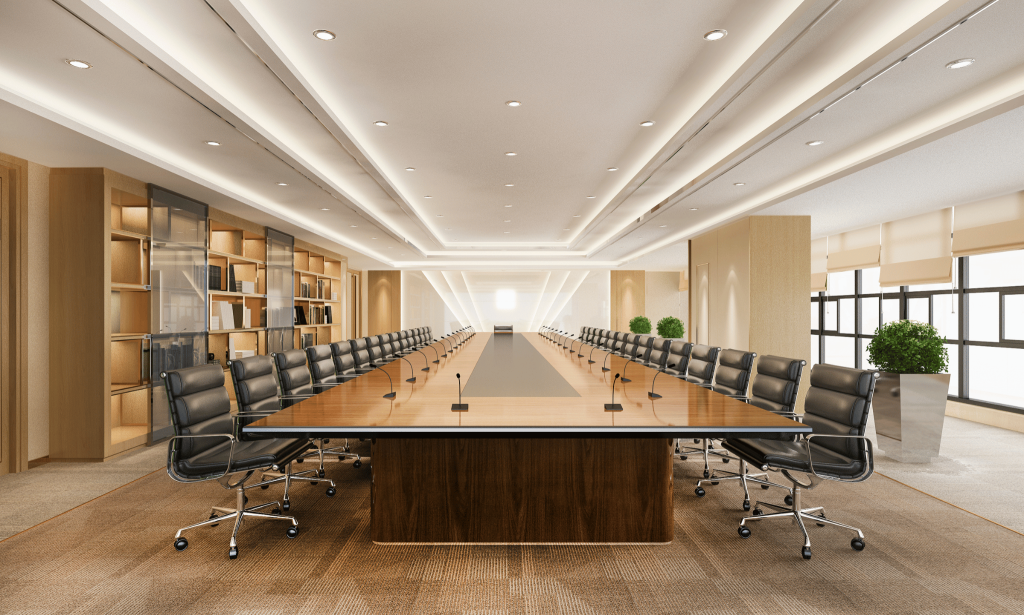
Video Conference 2026 Guide Video Conferencing in Malaysia: The Complete Guide for Hybrid Offices From huddle rooms to enterprise boardrooms, learn how to choose a video conferencing system based on your room size, platform, audio requirements, camera coverage and the way your team actually meets. Updated August 2026 Approx. 12 min read Meeting.com.my Professional meeting rooms should be designed around room dimensions, seating layout, audio coverage and conferencing requirements. Quick Answer What does a good video conferencing room actually need? A reliable video conferencing setup is not determined by one product. Six parts of the room need to work together. 01 Camera 02 Microphones 03 Speakers 04 Display 05 Meeting Platform 06 Simple Controls Smaller meeting rooms can often combine the camera, microphones and speakers into one video bar. Larger rooms normally benefit from separate components that provide wider and more consistent coverage. The right system depends more on the room than the brand. On this page 01Common problems 02Room types 03Features 04Platforms 05Brands 06Cost 07How to choose 08FAQ Video conferencing has become part of everyday business infrastructure. A meeting room today is no longer just a table, chairs and a display on the wall. It needs to connect people in the room with colleagues, customers and partners joining remotely — without wasting the first ten minutes troubleshooting microphones, cameras or cables. For Malaysian businesses, the challenge is rarely finding video conferencing equipment. The difficult part is choosing equipment that actually matches the room size, meeting platform, number of participants, acoustics and the way the room is used. A four-person meeting room does not need the same system as a 16-seat boardroom. Likewise, buying a premium camera will not fix a room where participants at the far end cannot be heard clearly. This guide explains what businesses should consider before upgrading or installing a professional video conferencing system in Malaysia. 01 — Planning Why video conferencing still goes wrong in modern offices Video conferencing technology has improved significantly, but many poor meeting experiences are caused by something much simpler: the wrong equipment being used in the wrong room. 01 The equipment does not match the room size A camera designed for a small huddle room may work well while participants are sitting close to it. Move the same camera into a long boardroom and the experience can change dramatically. Participants sitting at the far end of the table may appear too small, while microphone pickup may be insufficient for clear, natural conversation. Before selecting equipment, consider: Room dimensions Table length and seating position Number of participants Distance from the camera to the furthest participant Microphone pickup requirements Two rooms that both seat eight people may still require different systems if one is compact and square while the other uses a long conference table. 02 Audio is treated as an afterthought Customers often notice the camera first. Meeting participants usually notice the microphone first. A slightly imperfect image is normally manageable. A meeting where people constantly repeat themselves because of echo, weak microphone coverage or background noise becomes frustrating very quickly. Glass walls, hard flooring, exposed ceilings and reflective surfaces commonly found in modern offices can also make speech harder to understand. Larger rooms may therefore require dedicated tabletop microphones, ceiling arrays, DSP processing or additional loudspeakers rather than relying only on the microphone integrated into a camera. Explore our conference room audio solutions in Malaysia . 03 Platform compatibility is checked too late Another common mistake is selecting the hardware first and only later asking: “Will this work properly with Microsoft Teams?” Microsoft, Zoom and Google maintain certification or qualification programmes for meeting-room hardware. Certification helps businesses identify devices that have been evaluated for quality, reliability, compatibility or interoperability with the relevant platform. Certification can also vary by individual product model, so check the exact device rather than assuming every product from one brand carries the same certification. Reference: Microsoft Teams Rooms certified hardware , Zoom Rooms hardware and Google Meet certified hardware . 04 Too much technology makes the room harder to use A meeting room can technically be very advanced and still provide a poor user experience. If employees need an instruction sheet every time they start a meeting, the room has become too complicated. A good room should make the common workflow obvious: Walk in → select the meeting → join → present → talk. Technology should reduce friction rather than create it. 02 — Room Planning Video conferencing room types: what does each room actually need? There is no single video conferencing setup that works equally well in every space. A useful starting point is to divide meeting rooms by capacity and how they are used. Room Type Typical Capacity Video Requirement Audio Requirement Common Approach Huddle Room 2–4 Wide-angle camera Integrated mic / speaker All-in-one video bar Small / Mid-Size 5–10 Wide FOV + intelligent framing Stronger pickup / expansion audio Video bar or modular Boardroom 10+ PTZ / tracking / multiple cameras Distributed table or ceiling audio Modular AV system Training / Auditorium Varies Presenter + audience coverage Wireless mics + distributed audio Custom AV system 01 / ROOM TYPE Huddle Room 2–4 people Huddle rooms are designed for quick discussions, small team meetings and short video calls. In most cases, simplicity is more valuable than complexity. A typical setup can use one display and an all-in-one video bar with integrated camera, microphone and speakers. A wide field of view is particularly useful because users normally sit close to the display. 02 / ROOM TYPE Small to Mid-Size Meeting Room 5–10 people This is one of the most common corporate meeting-room categories. As the table becomes longer, camera framing and microphone coverage become more important. Useful features may include: Intelligent auto-framing Participant framing Speaker tracking Expansion microphones Dedicated room controller Wireless content sharing This room category can use either an advanced video bar or a modular solution depending on the dimensions and performance requirements. 03 / ROOM TYPE Boardroom 10+ people Boardrooms require